Your website looks great, you publish content regularly, and yet you keep getting stuck at the bottom of the search results. Sound familiar? Often, the problem isn’t what your visitors see, but what’s going on behind the scenes. Google looks at much more than just your text and images. In this article, we’ll discuss the most common—yet invisible—SEO mistakes that are quietly ruining your ranking.
1. Slow loading times that nobody notices (except Google)
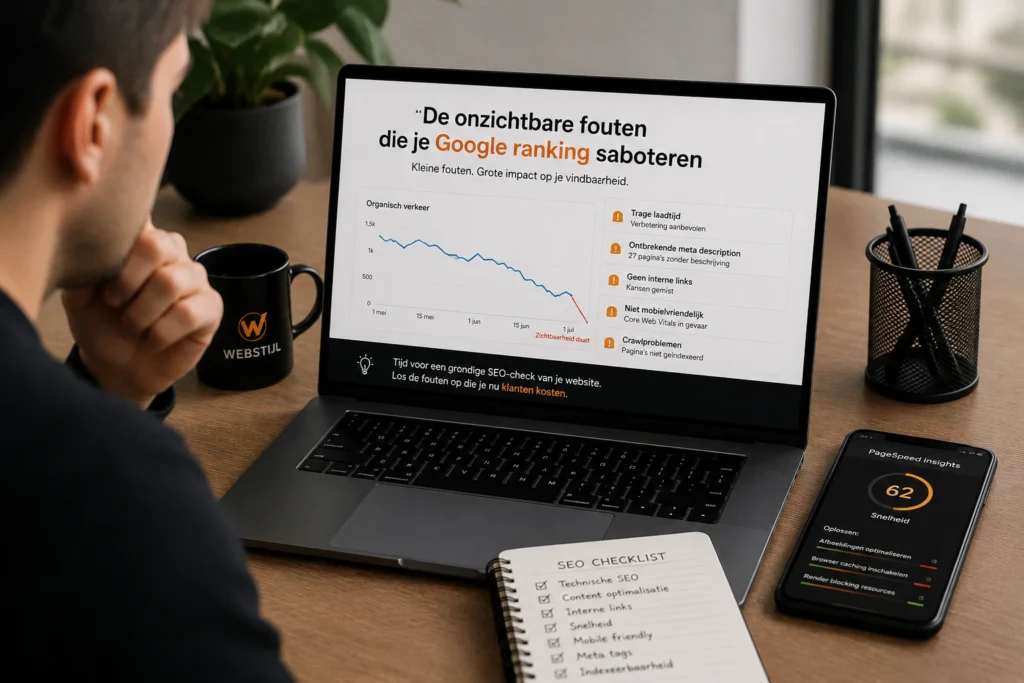
A website that looks fast on your powerful office laptop may still load slowly on a mobile connection. Google uses Core Web Vitals—metrics such as loading speed, interactivity, and visual stability—as a direct ranking factor. Large, unoptimized images, unnecessary scripts, and slow hosting are silent killers of your search ranking.
What you can do: Compress images, use lazy loading, and test your site regularly with tools like Google PageSpeed Insights.
2. A Confusing Site Structure
If Google can’t crawl your website properly, it will miss pages that you actually want to rank. An unclear link structure, missing internal links, or a chaotic URL structure can cause important pages to remain invisible to search engines.
What you can do: Use a clear hierarchy, descriptive URLs, and internal links to relevant pages.
3. Duplicate content (even if you don't realize it)
Duplicate content often occurs unintentionally: the same page accessible via multiple URLs, filter pages in an online store, or content you’ve reused from another page. Google then doesn’t know which version to display, and that costs you visibility.
What you can do: Use canonical tags to indicate which version is the primary one, and avoid unnecessarily duplicating text.
4. Missing or incorrect metadata
Title tags and meta descriptions aren't visible on your website itself, but they are crucial in search results. Missing, overly long, or duplicate title tags confuse Google about your page's content and lower your click-through rate.
What you can do: Give each page a unique, relevant title and description that will appeal to both Google and your visitors.
5. Unoptimized images without alt text
Images without alt text are not only bad for accessibility, but also a missed opportunity to improve discoverability through Google Images. In addition, large image files significantly impact your page load time.
What you can do: Provide descriptive alt text for each image and use modern file formats such as WebP.
6. A website that isn't mobile-friendly
Google has been using mobile-first indexing for years: the mobile version of your website determines your ranking, not the desktop version. Small text, buttons that are too close together, or content that gets cut off on a small screen are silent ranking killers.
What you can do: Always test your website on different screen sizes and ensure it has a fully responsive design.
7. Missing or incorrect structured data
Structured data (schema markup) helps Google better understand the content on your page—such as reviews, products, or frequently asked questions that appear directly in search results. Without this markup, you’ll miss out on valuable opportunities for additional visibility.
What you can do: Implement schema markup where appropriate, and check for errors regularly using Google Search Console.
8. Unsafe or outdated technical infrastructure
A missing SSL certificate, broken links (404s), or an outdated CMS without updates not only undermine the trust of your visitors, but also that of Google. Search engines prefer secure, well-maintained websites.
What you can do: Check for broken links regularly, keep your CMS and plugins up to date, and make sure your site runs over HTTPS.
Conclusion
The biggest threats to your Google ranking are often not the things you see, but rather the things you overlook. A technically sound, fast, and logically structured website is the foundation that allows good content to truly shine.
Are you wondering if your website is affected by these hidden errors? At WEB STYLE We'd be happy to analyze the technical condition of your website and help you, step by step, improve your visibility on Google.
Frequently Asked Questions
How do I know if my website is affected by these SEO mistakes?
Using free tools such as Google Search Console, PageSpeed Insights A technical SEO audit can help you quickly determine whether your site has any technical issues that are affecting your ranking.
How long does it take for SEO improvements to take effect?
Usually between 4 and 12 weeks, depending on the scope of the changes and how often Google reindexes your website.
Is a fast website really that important for SEO?
Yes. Page load speed is a direct ranking factor through Core Web Vitals, and a slow site also leads to more visitors leaving early.
What is the difference between on-page and technical SEO?
On-page SEO focuses on content, titles, and keywords on a page; technical SEO focuses on your website’s underlying structure, speed, and crawlability—the “invisible” errors discussed in this article.
Can I fix these technical SEO errors myself?
Some, such as adding alt text, you can do yourself. More complex technical issues (structured data, site structure, server configuration) often require specialized knowledge.
How often should I check my website for technical SEO issues?
A thorough check every 3 to 6 months is a good rule of thumb, although it’s a good idea to retest after every major update to your website.